Review Comments (0) Screenshots (5) Questions & Answers (0) Votes (1) Awards (4) Wiki  
(1)
Hoo Technologies
4.3.1489
www.hootech.com
Shareware
$19.95  Purchase
617 people
Download WMA MP3 Converter

3.86 MBDownloaded 1652 times


Review

This is official description

WMA MP3 Converter converts WMA to MP3 and MP3 to WMA, and resamples WMA files. It also converts WMV (Windows Media Video) to MP3 and ASF (Advanced Systems Format) to MP3.
WMA MP3 Converter is an easy-to-use and ALL-IN-ONE audio converter that supports more than 100 audio and video formats as input, and convert file to MP3, WMA, WMV, ASF, WAV, OGG, AAC, MP4, M4A, M4B, M4R, AMR, and AWB formats. And the converter keeps ID3 tag when converting. You can change encoding parameters of target files such as sample frequency, bit rate, channels, and quality. It's also possible to change volume of target file.
 
The following review written by one of the Software Informer contributors applies to version 4.1

WMA MP3 Converter is an application that can be underestimated if we focus only on its title. The program not only converts Mp3 files into WMA files and WMA files into Mp3 files. It actually converts easily hundreds of audio file types into different formats .
WMA MP3 Converter supports lots of input audio and video formats, including WMA, MP3, ASF, WAV, AAC, CDA, FLAC, M4A, 3GP, AVI, DVD, MPEG, M4A and OGG. The application allows you to batch convert as many files as you want all at once into any supported format. You can also use this software to resample your WMA files.
WMA MP3 Converter lets you view your audio files information and modify its ID3 tag. You can edit your audio files' title, artist, album, genre and more.
The program supports two ways of adding files to get them converted. You can either browse them from the program's add button or drag them from any folder on your computer and drop them into the program's list. Once you've done that, the rest is very easy. Just select the output format and click on the Convert button.
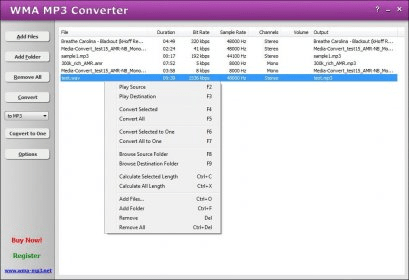
A thing the program's developers have put much work on is the settings for each output format. When you click on the option menu, you will find options to make adjustments on each of the supported output formats. One thing about the program that is not too good is the graphical interface. When you launch it, all you see is a blank window with some options on the left side. However, it does what it says it does, so why care about the graphical interface?
  • It supports tons of input and output formats.
  • It's easy to use.
  • It doesn't come with an audio player.
  • Poor graphical interface.

Reviewed by: Sebastian Fernandez

Reviewer rating:

Reviewed: Last year

Report a wrong version Report a wrong program title Suggest a correction

Screenshots

Main window Main window Output formats Output formats Options Options About About
All 5 screenshots

Latest comments


There are no comments, be the first one!
Add new comment

E-mail Address:

Password:

Register now »

Forgot password?

Sign in with:
Download Software Informer Client
Copyright © 2012, Informer Technologies, Inc. About| Privacy and terms| Help| Feedback & Support| Partners program